Window Cleaning Quote-to-Route-Profit Spreadsheet
Know what to charge. Know which recurring accounts are worth keeping. Know which completed routes actually make money.
Microsoft Excel 2021 / Microsoft 365 Desktop on Windows or Mac; no macros.
Current price, availability and checkout come from the commercial Product Registry.
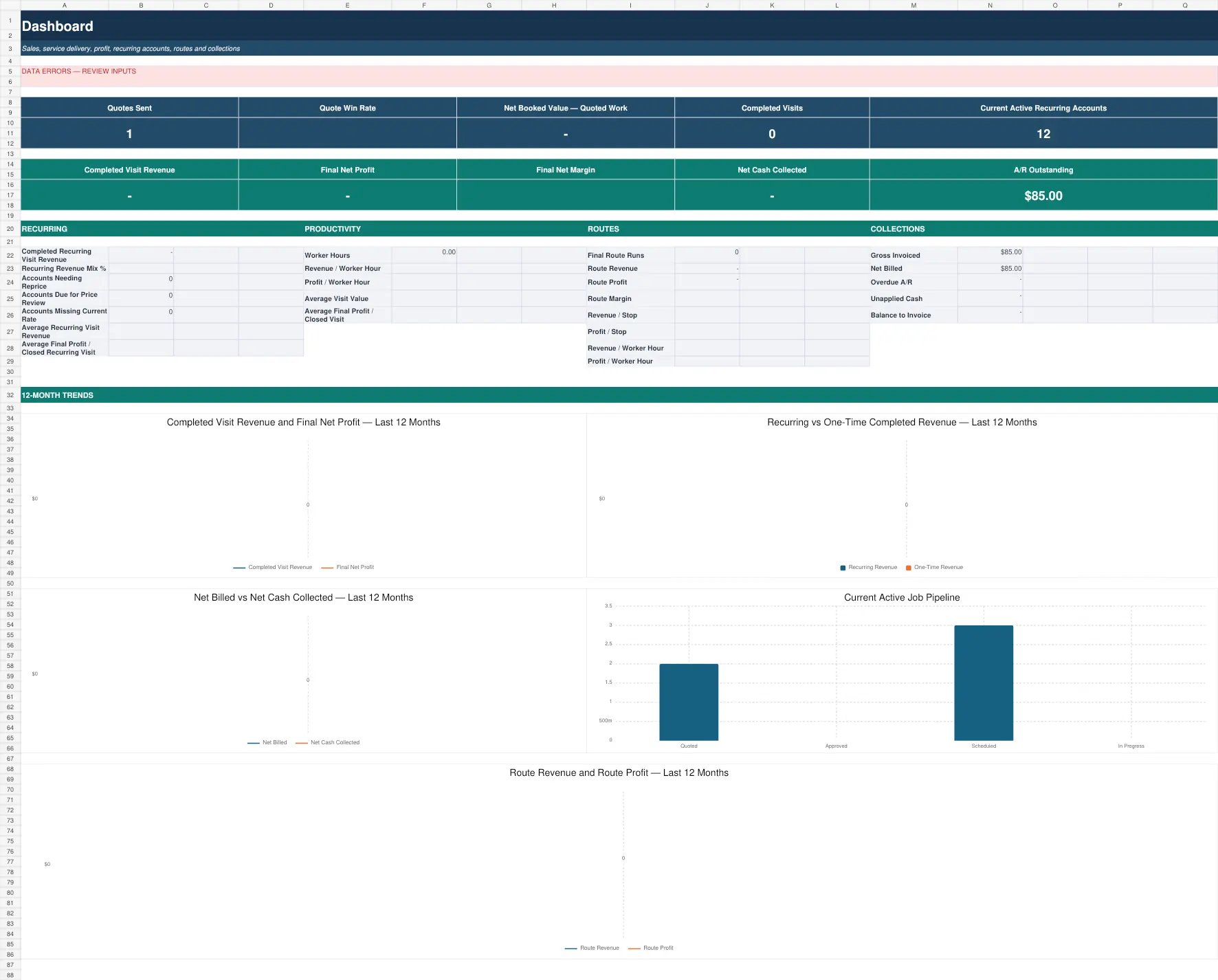
Actual released workbook interface. Populated screens use approved fictional demo data.
Who it is for
Built for owner-operators and small window-cleaning crews serving residential, storefront, and light-commercial customers, including both one-time jobs and recurring accounts.
One-time pricing is only the first layer
A single job can be priced by pane, window, screen, track, hour, flat job, or another unit. Recurring work adds a deeper question: is the account still healthy at its current rate, and does the route actually perform well once shared travel and real execution are included?
Price → Quote / Account Rate → Run → Collect → Know profit → Act
Set up services and pricing, build a new quote or use the approved rate for an existing recurring account, record the actual visit, invoice and collect, then review job, account, and route economics. Use the management views to identify accounts that need attention or repricing.
Recurring account economics
Recurring work should not be treated as an endless copy of the first quote. The system preserves account and rate context so the owner can compare the economics of recurring service and make a more informed repricing or management decision.
Route Definition vs. Route Run
A Route Definition is the reusable plan or baseline. A Route Run is an actual execution. OwnerLanes keeps those concepts separate because planned route economics are not the same as historical actual route profitability.
Actual route profitability
Final route economics should come from completed and financially closed route runs. The system can evaluate route revenue, job-specific direct costs, shared route travel, overhead, profit, margin, stops, miles, and worker-hour productivity without counting shared travel repeatedly.
Billing and collections
Invoices and payments remain visible alongside job, account, and route economics, while cash collection and operating profitability remain separate concepts.
What is included
- 15 connected worksheets covering business setup, Service Library, Pricing Lab, Accounts & Routes, jobs and visits, quote workflow, actual costs, billing and payments, client documents, Profit Center, Dashboard, Action Center, and Monthly Summary.
- Support for one-time work and recurring-account economics.
- Route Definitions for planning and Route Runs for actual execution and history.
- CLEAN workbook plus DEMO/reference workbook and operating documentation.
- Designed for Microsoft Excel 2021 and Microsoft 365 Desktop on Windows or Mac; no macros are required.
Free calculator vs. full system
The free calculator handles job pricing and includes a Route Profit Preview for a scenario. The paid system adds persistent services, accounts, rate history, jobs and visits, actual route runs, billing, account profitability, route history, repricing signals, and management views.
What OwnerLanes does not replace
This is not GPS routing, route optimization, dispatch, CRM, SMS automation, high-rise safety or compliance software, accounting, tax, or payroll software.
Frequently asked questions
Is this route-optimization or GPS software?
No. OwnerLanes evaluates account and route economics. It does not optimize driving routes or provide live GPS or dispatch.
Can I use it for recurring storefront or residential accounts?
Yes. It supports recurring accounts as well as one-time work, with separate account, rate, and route economics.
Does the free calculator show actual historical route profit?
No. Its route mode is a preview. Historical route profitability belongs to completed Route Run data in the full system.
Does it require macros?
No. It is designed for Microsoft Excel 2021 and Microsoft 365 Desktop without macros.
Does OwnerLanes replace my accounting or CRM system?
No. It is an operational pricing, cost, billing-visibility, account and route economics, and profitability workbook.
What you receive
The package contents shown here reflect the approved commercial delivery for this product.
- CLEAN WorkbookA clean-start Excel workbook for your own services, accounts and routes.
- DEMO / Reference WorkbookA populated reference demonstrating jobs, accounts and route runs.
- Operating DocumentationGuidance for setup, safe use and the recommended workflow.
Digital files are delivered electronically after successful payment. No macros are required.
A closer look inside the released system
Select any view to open a large, readable preview. Use the arrow keys to move between screens and Escape to close.
Start with the economics before the next job.
The free calculator answers one scenario. The full system carries the workflow forward.