Contractor Job Costing Spreadsheet — From Bid to Real Profit
OwnerLanes Contractor Bid-to-Profit Command Center connects the bid, approved changes, actual job costs, payments, forecast, and final job economics around one Project ID.
Designed for Microsoft Excel 2021 and Microsoft 365 Desktop on Windows or Mac. No macros required.
Current price, availability and checkout come from the commercial Product Registry.
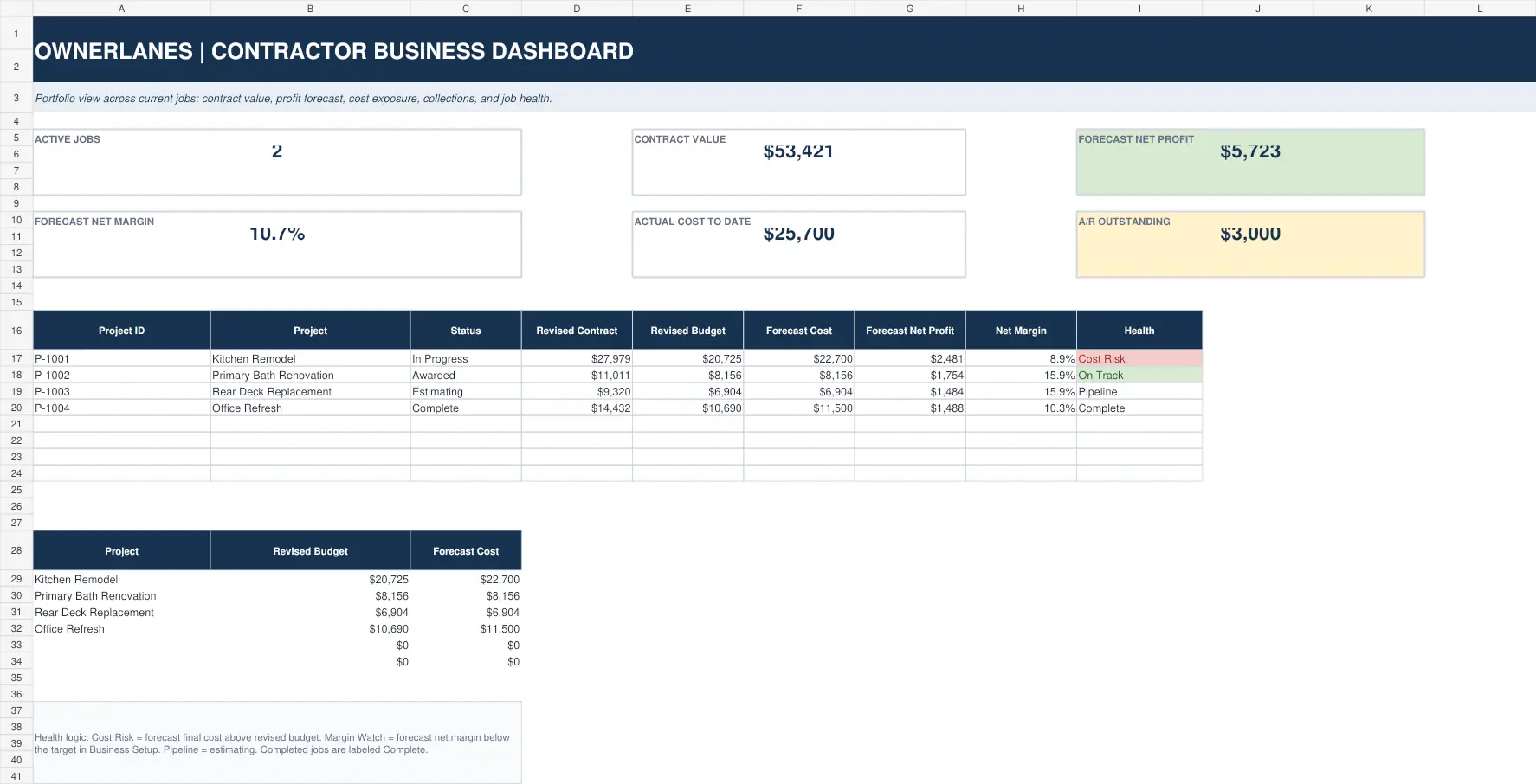
Actual released workbook interface. Populated screens use approved fictional demo data.
Who it is for
Built for small contractors and owner-operators who already use Excel and need a stronger way to see whether a job is staying on budget and protecting profit. It is not a general ledger, payroll, tax-filing platform, CRM, dispatch system, or enterprise construction-management suite.
Why estimates are not enough
An estimate tells you what you expected before the work happened. Job costing tells you what the project is actually consuming. OwnerLanes keeps those layers separate so a favorable-looking cost variance on an unfinished job is not mistaken for savings simply because the remaining cost has not been entered yet.
Bid → Changes → Actuals → Forecast → Profit
Build the estimate from labor, materials, equipment, subcontractor, and other direct costs. Keep approved Change Orders visible. Record actual costs as the job runs. Track billed and collected amounts separately from profit. Add forecast remaining cost so Forecast Final Cost reflects Actual Cost to Date plus what is still expected. Then compare revised budget, actual cost, forecast, collections, and job profit in one connected view.
What is included
- 12 connected worksheets in the current Contractor v1.0 product.
- Project-based estimates, approved Change Orders, actual costs, payments, forecast and portfolio-level job economics.
- Customer-facing documents remain separate from internal cost and profit information.
Free calculator vs. full system
The free Contractor Profit Margin & Job Pricing Calculator answers one pricing question at a time. The paid system stores projects, estimates, Change Orders, actual costs, payments, forecasts, and portfolio-level job economics.
Frequently asked questions
Does OwnerLanes replace QuickBooks?
No. The Contractor workbook is a job-costing and decision-support system, not a bookkeeping or general-ledger replacement.
Does it require Microsoft Excel?
Yes. Use the product-specific compatibility guidance shown in the released package.
Is the price a subscription?
The current Contractor product is sold as a one-time purchase. Current terms are shown at checkout and on the Terms page.
What you receive
The package contents shown here reflect the approved commercial delivery for this product.
- Main/CLEAN WorkbookA protected clean-start Excel workbook for your own business data.
- DEMO WorkbookA completed reference workbook showing the connected workflow.
- Quick Start GuideA concise guide for setup, safe editing and first use.
- LicenseThe included product-use license and permitted-use terms.
- START_HERE InstructionsA direct entry point for the recommended operating sequence.
Digital files are delivered electronically after successful payment. No macros are required.
A closer look inside the released system
Select any view to open a large, readable preview. Use the arrow keys to move between screens and Escape to close.
Start with the economics before the next job.
The free calculator answers one scenario. The full system carries the workflow forward.